The platform
Your content and store, on one Grav site
Manage pages, blog posts, documentation and ecommerce from the same admin. KahunaCart uses your Grav theme and runs on your hosting, with products, orders and customers stored in your database.
Side by side
Choose how you want to run your store
A hosted service manages the infrastructure for you. With Grav and KahunaCart, you manage your hosting and have direct access to the site files, database and storefront templates.
Hosted services differ in features and terms. Visit the comparison pages for individual platform comparisons.
One admin
Manage content and commerce in one admin
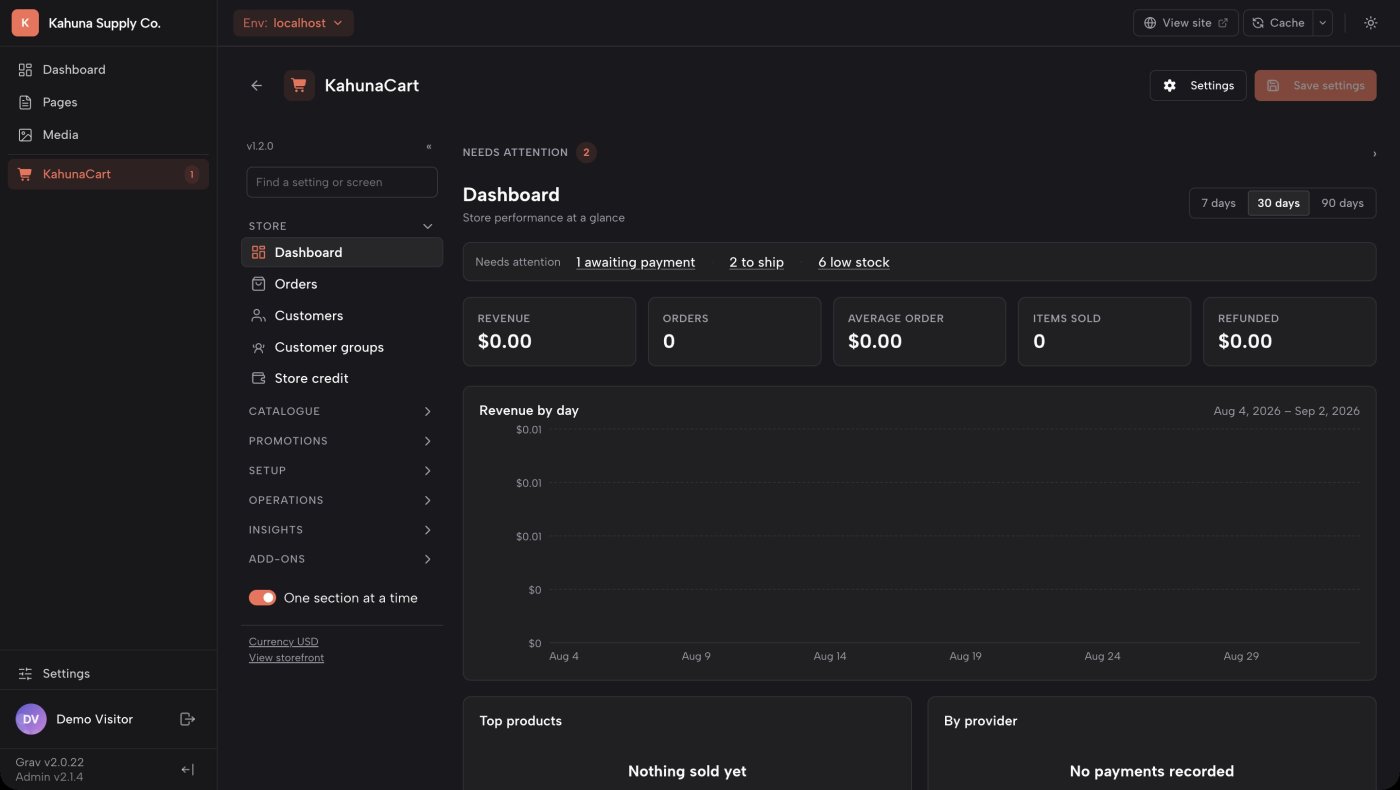
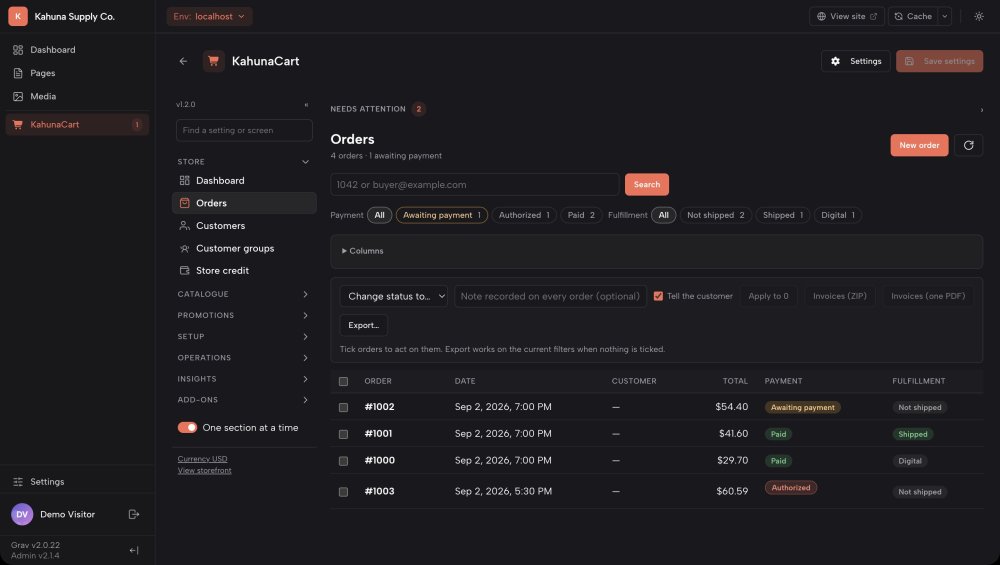
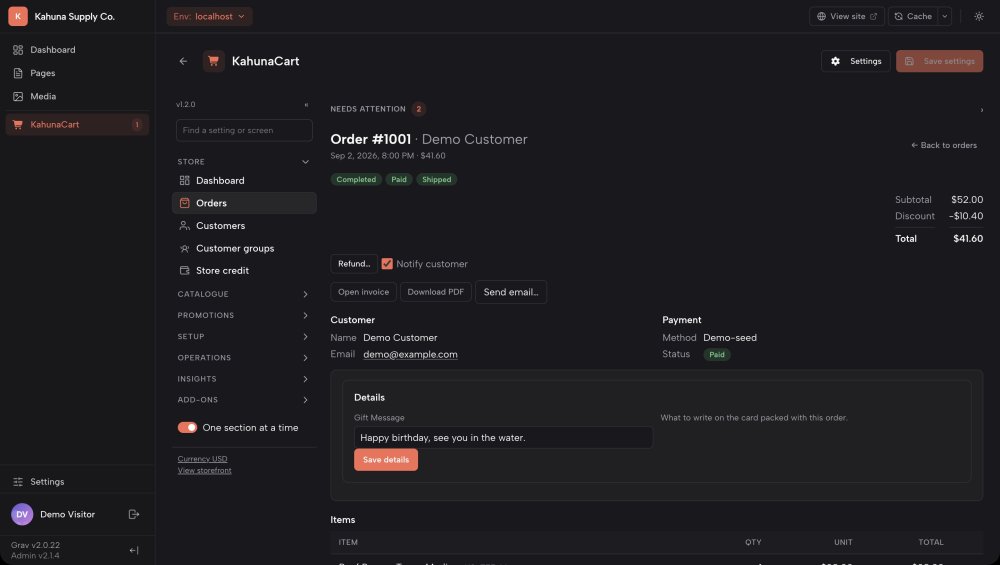
KahunaCart adds store management to Grav's Admin Next. Staff can move between website content and store tasks using the same login, with permissions controlling access.
- Manage pages, products, orders and customers from the same admin.
- Find store tools grouped into catalog, promotions, setup, operations and reports.
- Give staff permission to view or manage the parts of the store they need.
- Use settings search to find configuration options.
Front and back
Explore the storefront and admin
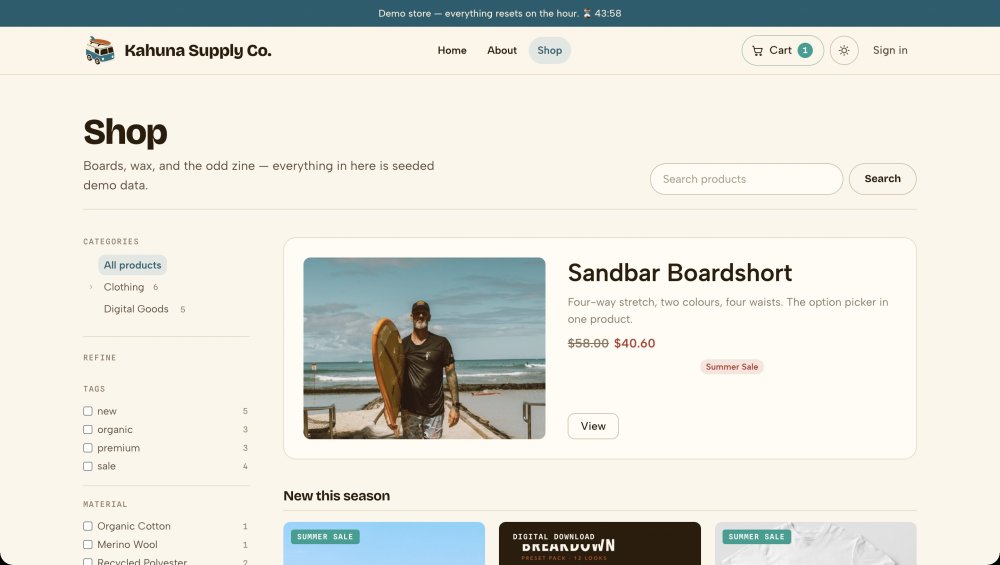
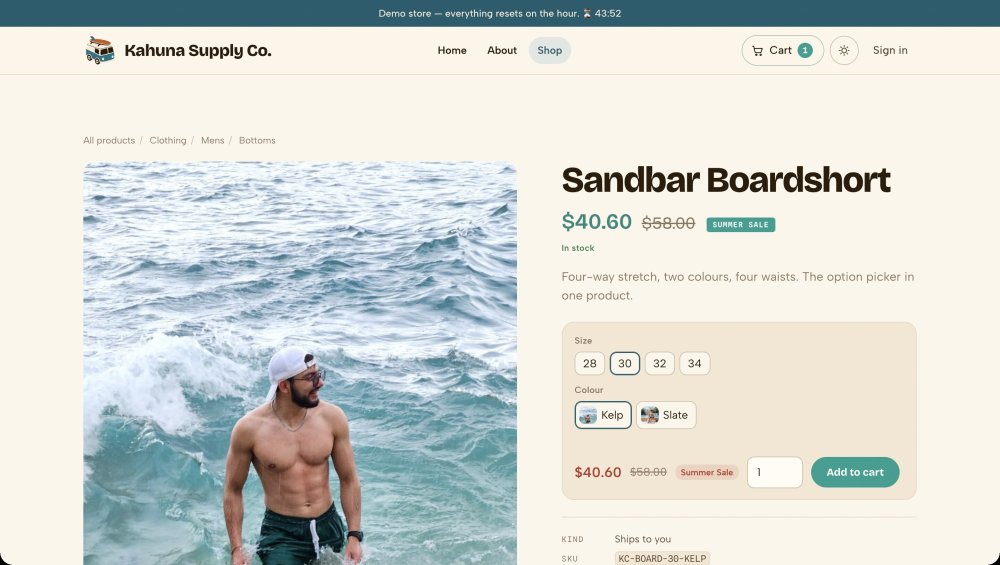
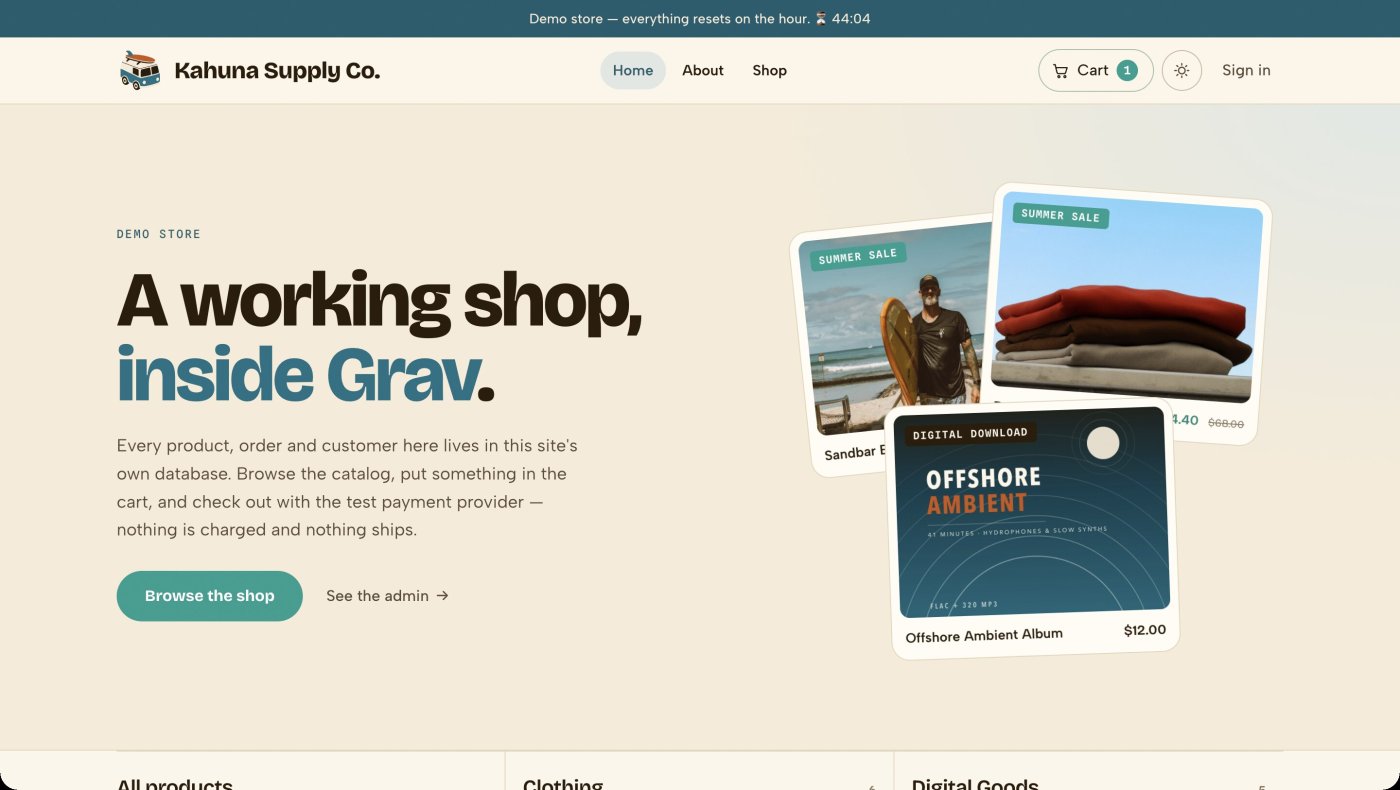
These screenshots show Kahuna Supply Co., the demo store. Browse the customer-facing pages and see the tools used to manage the same products and orders.
One theme
Use one theme across your website
KahunaCart's storefront uses Twig templates within your Grav theme. Product pages, the cart and checkout can share the typography, colors and layout of the rest of your site.
- Override individual storefront templates to customize the pages you need.
- Add product grids, buy buttons and cart components to existing pages with Twig functions.
- Use the same design for your content pages and storefront.
- Check for outdated template overrides in the Health screen after a plugin update.
The architecture
Content in files. Commerce in a database.
Grav stores content in Markdown files, making it easy to edit and version in Git. KahunaCart uses a database for products, orders and customer records, with transactions for payments and stock changes.
What stays in flat files
- Pages, blog posts, docs and landing pages, as Markdown
- Your theme and every template override, as Twig
- Site configuration and the store's own settings, as YAML with
$ENV_VARfor secrets - Plugins and themes installed from Grav's package manager
What goes in the database
- Products, variants, options, attributes and categories
- Orders, order lines, payments, refunds and the store credit ledger
- Customers, addresses and customer groups
- Coupons, sales, price lists, tax rates and shipping rules
- Translations for nine catalog entity types
- The job queue, the email log and the webhook delivery log
SQLite is the default and requires no separate database server. Its database file is stored in the protected user/data directory. You can also configure MySQL, MariaDB, PostgreSQL or a named connection through the Database plugin.
Why Grav
The Grav features KahunaCart builds on
KahunaCart uses Grav's existing tools for content, themes, languages and background tasks.
An established CMS
Grav has been developed openly since 2014. KahunaCart is built for Grav 2.0 and uses its admin and plugin APIs.
File-based content
Grav stores pages and posts in files and uses a page cache to serve content efficiently.
Familiar file formats
Edit content in Markdown, settings in YAML and templates in Twig. Keep those files under version control.
Multiple languages
Use Grav's language settings and URL prefixes for the storefront. Translate catalog fields and send order emails in the customer's language.
Background jobs
The scheduler processes store emails, webhooks, cart reminders and reporting updates outside the checkout request.
Plugins and themes
Grav is open source under the MIT license. Install plugins and themes through its package manager, or build your own using the plugin API.
Who builds it
Built by the author of the CMS
Andy Miller created Grav and KahunaCart. Both are published by Trilby Media, so the store is developed by a team familiar with the CMS it runs on.
KahunaCart uses Admin Next for store management and Grav's API plugin for its REST API and MCP integration. Building on these shared components lets the team coordinate changes across the CMS and store.
Questions
Common questions
Do I need to know Grav to run the store?
Day-to-day tasks such as adding products, managing orders and changing settings are available in the browser-based admin. Familiarity with Grav helps with installation, theme customization and ongoing site maintenance. The documentation covers setup and store operations.
Can I add KahunaCart to an existing Grav site?
Yes, on Grav 2.0 or later with the required plugins. KahunaCart adds a storefront at /shop by default and uses SQLite unless you configure another supported database. Your existing content remains part of the same site.
Can I use my own theme?
Yes. The supplied storefront templates render within your theme, and you can override them individually. Twig functions let you add products and buy buttons to other pages. The free Kahuna theme is available as a starting point.
Can I import products from another platform?
Yes. The CSV importer recognizes WooCommerce headers and supports saved mappings for other formats. Preview an import to check for problems before applying it. Moving page content, URLs and design is a separate part of the migration.
Is Grav free?
Yes. Grav is open source under the MIT license, and Admin Next and the required API plugin are free. KahunaCart is a paid site license with optional renewal for updates and support. See the store for details.
Add ecommerce to your Grav site.
Buy KahunaCart once for your site. A year of updates and support is included.
Get KahunaCart