Features
Tools for everyday store management
Explore the catalog, checkout, pricing, shipping and order tools included with KahunaCart. The screenshots show the Kahuna Supply Co. demo storefront and admin. Features sold separately are marked as add-ons.
Catalog
Organize your catalog and present products clearly
Set up products, variants and categories in the admin, then display them through your Grav theme. Add specifications, reviews and related products to help customers choose.
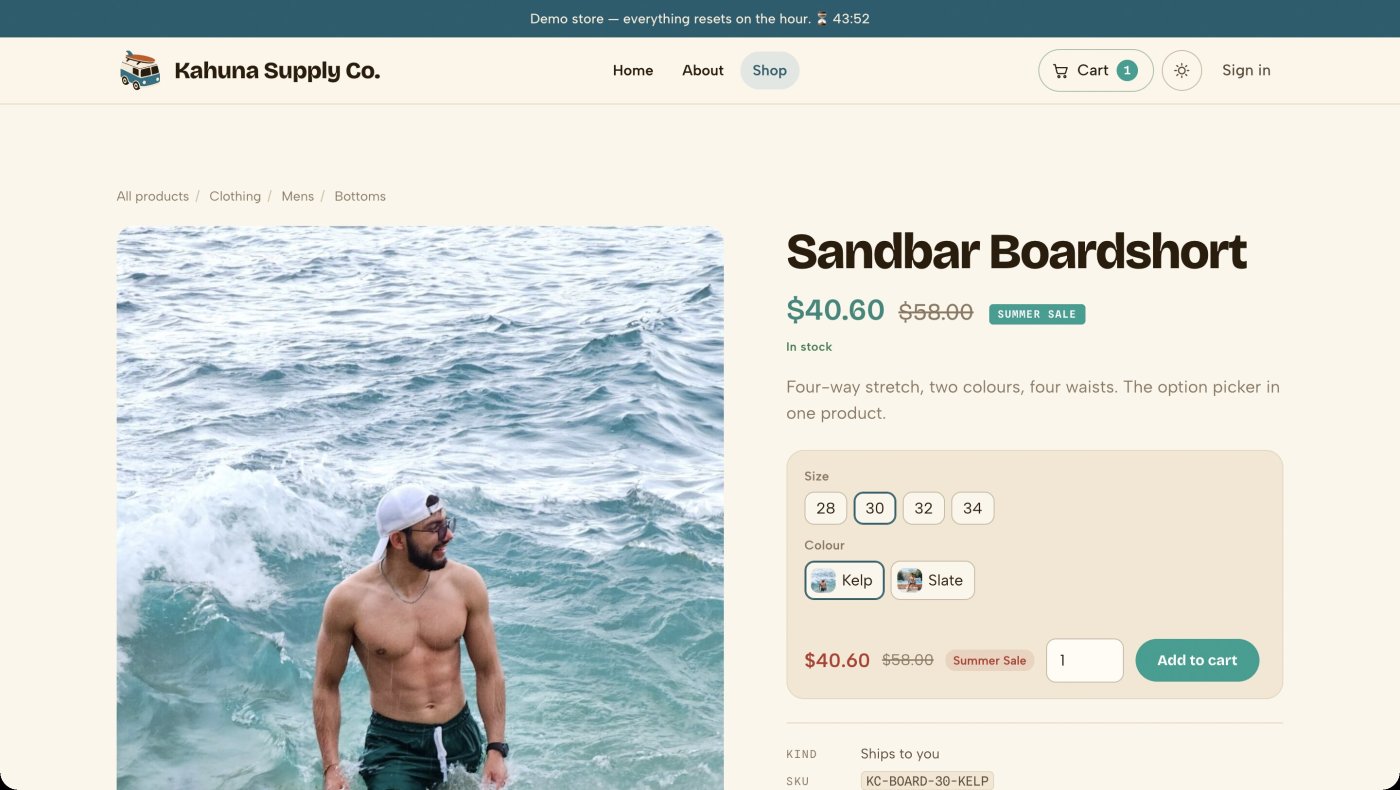
- Give variants their own price, SKU, stock level and image.
- Sell physical, digital, grouped or external products, with kits and paid product options.
- Use attributes such as material or wattage for specification tables and storefront filters.
- Set minimum and maximum quantities, pack sizes and one-per-order limits on a product, a variant or a whole category.
- Restrict a product to chosen customer groups so only members see it and buy it.
- Help customers find products with ranked search, typo tolerance and synonyms.
- Moderate product reviews and offer named, shareable wishlists.
- Review product revisions and schedule publication or price changes.
- Media
- Add images, video, audio, PDFs and embeds to product pages, including images for individual options.
- Merchandising
- Choose related products, cross-sells and upgrades. Feature products and arrange shop sections in the order you want.
- Search
- Search supports ranking, typo tolerance and synonyms. The catalog index supports product listings and filters on larger stores.
- Themes
- Three storefront themes come with every license: Kahuna, Slate and Pebble. Or customize the supplied Twig templates and add product grids and buy buttons to existing pages.
- Quantity rules
- Set a minimum, a maximum and a pack size on a product, override them per variant, or put them on a category so everything filed under it inherits them.
- Import
- Import CSV files with saved column mappings, a preview and row-level error reports. WooCommerce headers are recognized, including the Min/Max Quantities columns.
- Search and sharing
- Products include structured data, social sharing metadata and sitemap entries. Category pages have their own URLs and breadcrumbs.
- Shopping feeds
- Turn on product feeds for Google Merchant Center and ChatGPT, with brand, GTIN, MPN and condition on each product. Off until you switch them on.
Pricing and promotions
Set prices, discounts and promotional offers
Create customer-group prices, schedule sales and offer coupons. The same pricing rules apply to checkout and manual orders, with each discount recorded on the order.
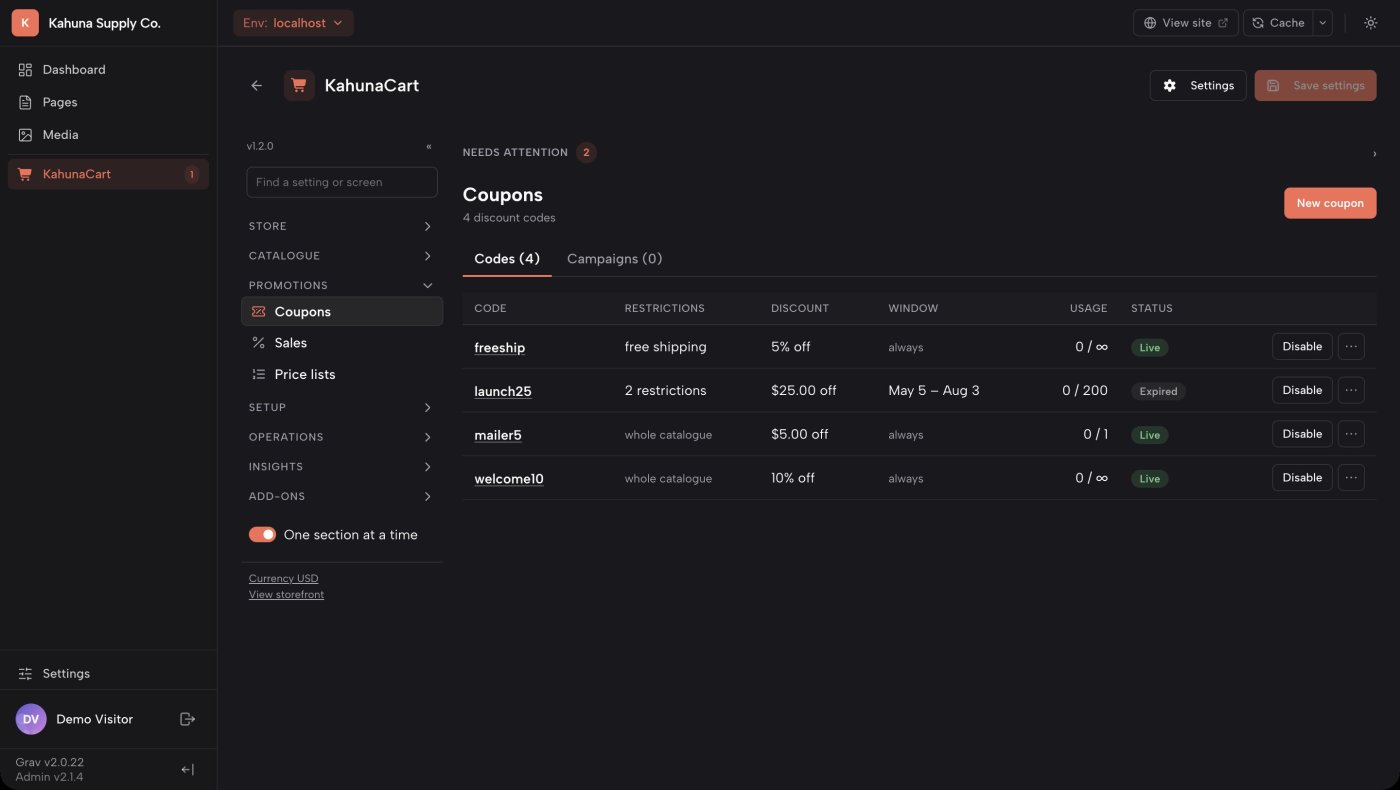
- Offer percentage discounts or fixed amounts off products and carts, with usage limits.
- Generate batches of coupon codes for the same campaign.
- Create buy-one-get-one offers, quantity discounts and free-gift promotions.
- Set price lists and quantity tiers for customer groups.
- Sell in more than one currency: type a price for each, and shoppers browse and pay in their own.
- Set a minimum or maximum order, in items or in money, and exclude gift cards and donations from it.
- Accept gift cards and store credit at checkout.
- Require a previous product purchase before a customer can buy an upgrade.
- Currency calculations
- Prices use integer minor units and currency-aware calculations, including currencies with zero, two or three decimal places.
- Coupon controls
- Restrict eligible products and customers, limit redemptions and control whether codes can be combined.
- Promotions
- Set conditions for sales and choose how overlapping offers apply.
- Quantity limits
- Set minimum or maximum purchase quantities, sell in packs of six or ten, or limit a product to one per order. Rules can sit on a product, a variant or a category.
- Order rules
- Set a minimum or maximum order in items or in money, measured on the merchandise subtotal after discounts. The cart says why before checkout does.
- More than one currency
- Type a price for each currency you sell in, or let KahunaCart convert it from your base price at a daily exchange rate, with a markup and rounding of your choice. Shoppers browse and pay in their own currency. Sales, coupons, shipping rates and payment fees take an amount for each currency too. Each order, refund and invoice stays in the currency it was placed in, and reports can show one currency or everything in your base currency.
- Customer pricing
- Offer separate price lists and quantity discounts for customer groups.
- Discount records
- Order records show which adjustments were applied and how discounts were allocated to individual items.
Docs Coupons →Sales →Rules and conditions →Store credit →Currencies →
Checkout and payments
Offer payment choices through one checkout
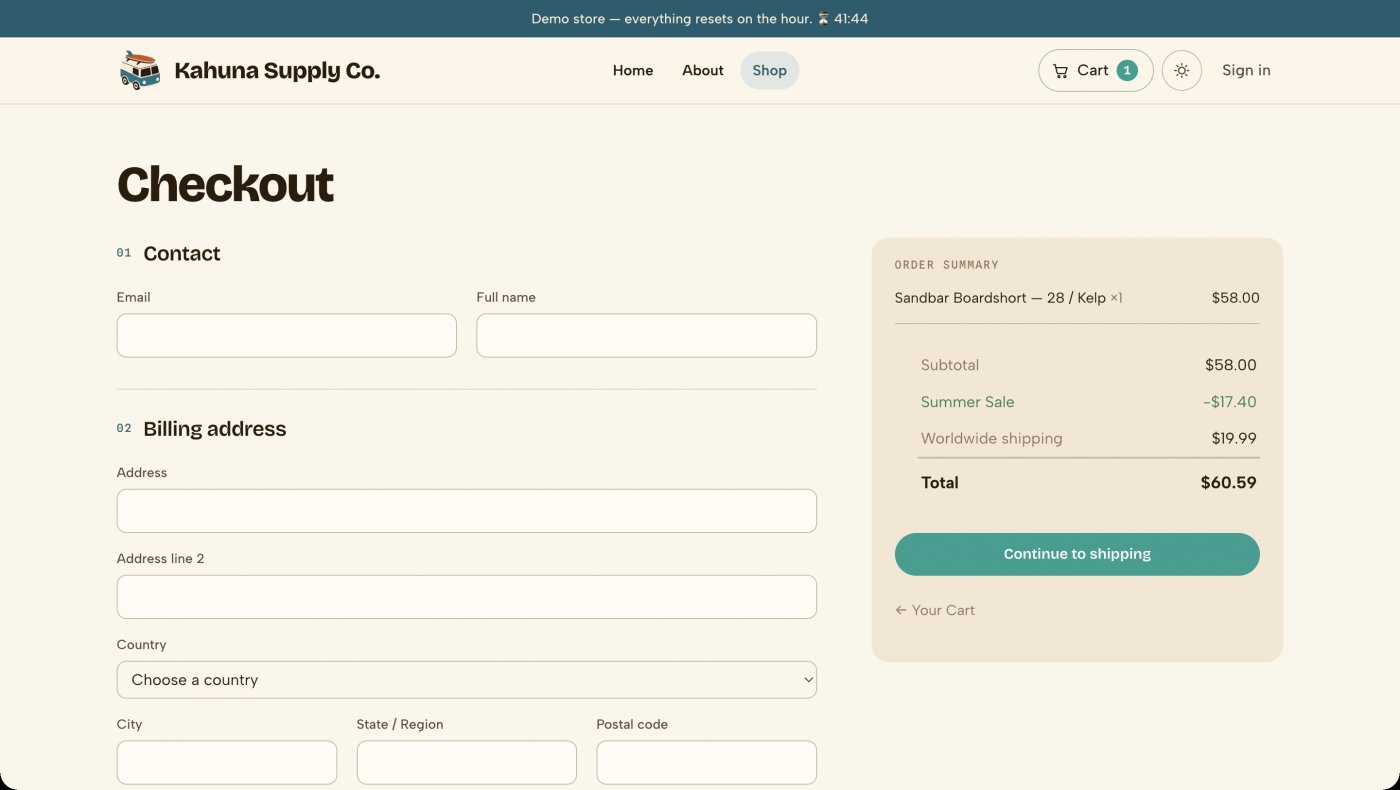
Customers enter their address, choose delivery and select a payment method in your storefront. The payment provider collects card details, while KahunaCart records the order and payment status.
- Offer multiple providers, with Stripe, PayPal, Polar and offline payment included with your license, and Moneris, Mollie, Square, Paddle, Lemon Squeezy and SumUp as add-ons.
- Authorize a payment and capture or void it later with supported providers.
- Use Stripe for saved cards and supported digital wallets.
- Choose a merchant-of-record provider for tax collection and remittance on supported sales.
- Issue full or partial refunds to the provider, store credit or a combination of both.
- Configure country-specific address rules, saved addresses and additional checkout fields.
- Provider choice
- Connect payment providers through plugins. Use the free test provider to check your purchase flow without a real payment.
- Payment authorization
- Stripe, PayPal and Mollie support authorization followed by capture or void. Checkout.com and Shopify will too once they are released.
- Payment methods
- Give each offered method its own label, logo, fee and availability conditions.
- Deposits and quotes
- Accept deposits, request a balance payment or send a quote for customer approval.
- Custom storefronts
- Use the storefront JSON API for cart, coupon, shipping and checkout interactions.
- AI shopping agents
- Let Google AI Mode and Gemini check out with Google Pay through Stripe, and let any MCP client build a cart and hand the buyer to your checkout. Agents see only what a logged-out visitor sees. Off until you switch it on.
- Connection settings
- Store provider credentials securely, test connections and manage webhook configuration through the admin.
Docs Payment methods →Checkout fields →Countries and addresses →Deposits →Agentic commerce →
Tax and shipping
Configure tax and shipping for your store
Define tax rates and delivery methods for the regions you serve. Use product classes, order values and weights to calculate charges, and offer pickup where available.
- Configure tax zones, classes and rate priorities.
- Use tax-inclusive pricing where appropriate and import EU VAT presets.
- Show "incl. VAT" or "excl. VAT" under every price, in your tax zone's own name for the tax, with "plus shipping" if you want it.
- Record a business customer's VAT ID on an order you enter, and sell without VAT under the reverse charge, with the line printed on the invoice.
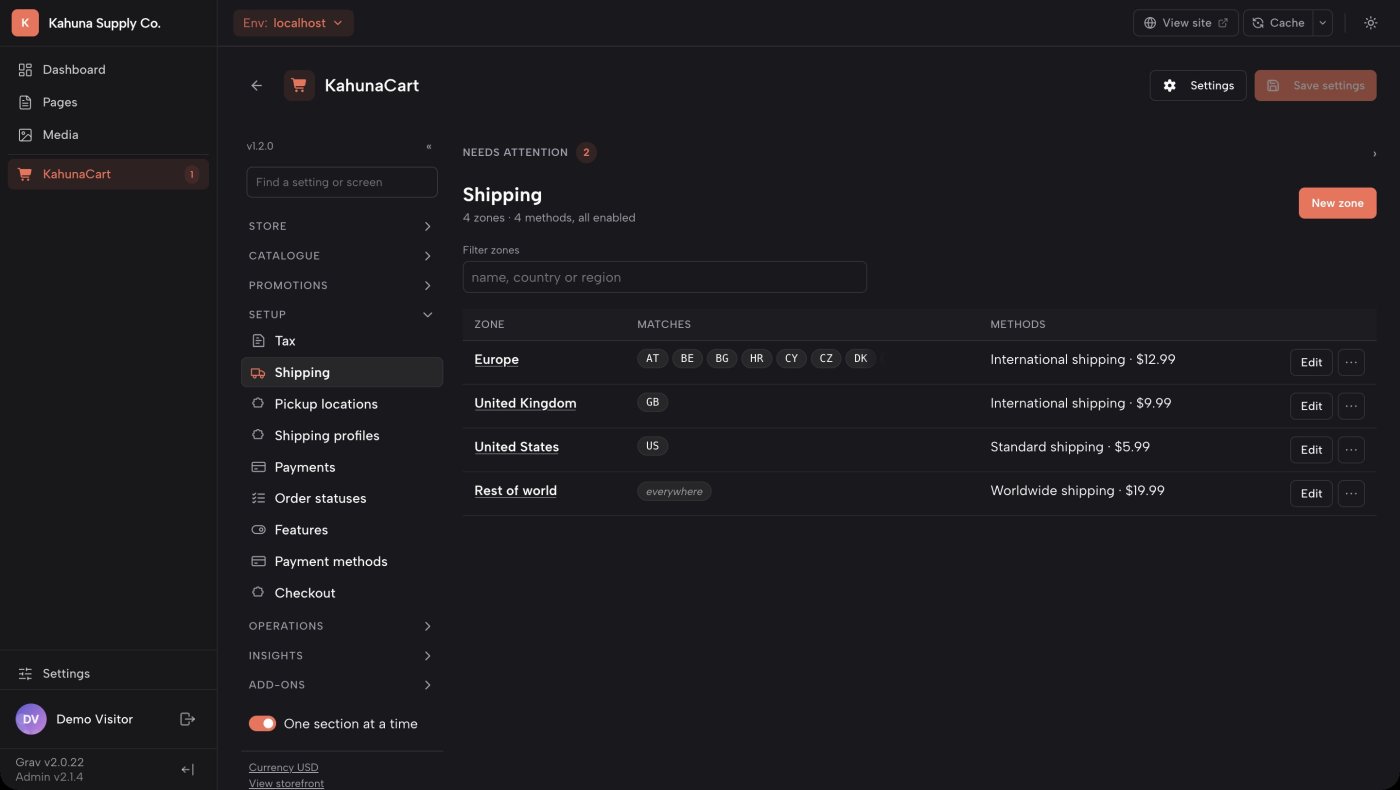
- Set shipping rates by item count, weight, class or a custom formula.
- Use shipping profiles for products that need separate parcels.
- Offer free shipping based on a coupon or order minimum, and configure pickup locations.
- Record partial shipments, tracking numbers and packing slips, with an email for each shipment.
- Shipping rates
- Choose flat rates, per-item or per-weight charges, weight bands, class adjustments or cost expressions.
- Free shipping
- Require a coupon, a minimum order value, either condition or both.
- Tax tables
- Manage rates by zone and class, and import or export tax tables as CSV.
- Inclusive prices
- Configure tax-inclusive pricing by region or currency, and say "incl. VAT" or "excl. VAT" under each price.
- EU business sales
- Orders you enter carry the customer's VAT ID and can be sold without VAT under the reverse charge. Checking the number against VIES is still done by you.
- Local pickup
- Set collection addresses and opening hours. Pickup tax uses the collection location.
- External integrations
- Developer interfaces support tax engines and carrier rate providers. Live carrier rate integrations are not included in core.
Digital goods, licences and subscriptions
Sell downloads, licenses and recurring plans
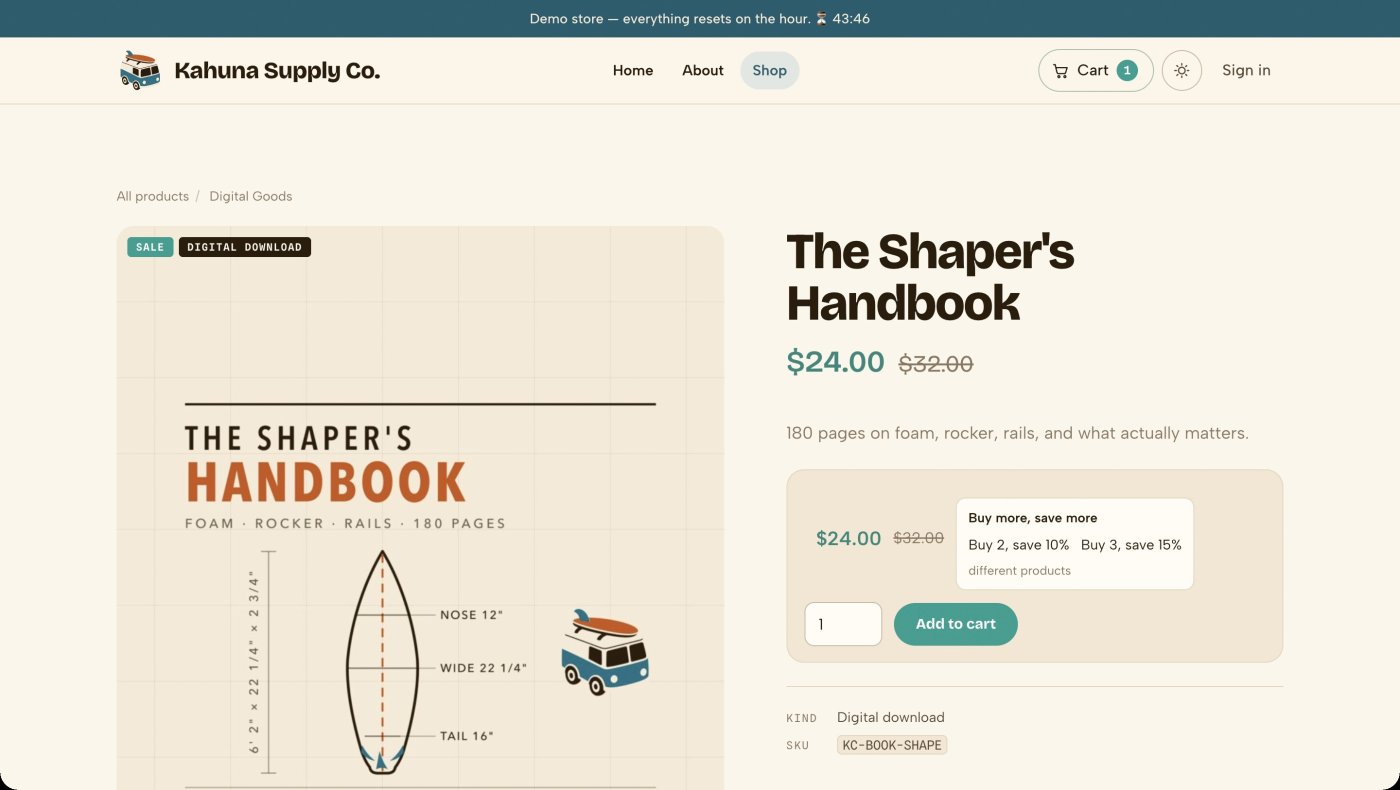
Digital delivery is included with KahunaCart, and downloads can be purchased alongside physical products. Add License Keys for software licensing or Subscriptions for recurring plans, which are purchased separately.
- Provide protected download links after payment or at the order status you choose.
- Publish versioned releases with release notes and downloadable files.
- Support resumable downloads through PHP or web-server file delivery.
- Use License Keys add-on to issue keys, manage activations and control update access.
- Use Subscriptions add-on for automatic payments or emailed renewal invoices.
- Delivery
- Choose when download access is granted. Serve files through PHP, nginx or Apache using the supported delivery methods.
- Releases
- Publish software versions with notes and files. The REST API supports release publishing from a build pipeline.
- Mixed orders
- Customers can buy files and physical products together, with one receipt and order history.
- License Keys
- A separate add-on for keys, activation limits, license expiry and update access.
- Subscriptions
- A separate add-on for recurring plans, automatic payments and renewal invoices. Each subscription uses its own checkout. It can also keep pages, downloads or articles for subscribers.
- Add-on updates
- One site renewal covers updates for every add-on you own. Installed versions keep working if you do not renew.
Customers and languages
Manage customer accounts and translated storefronts
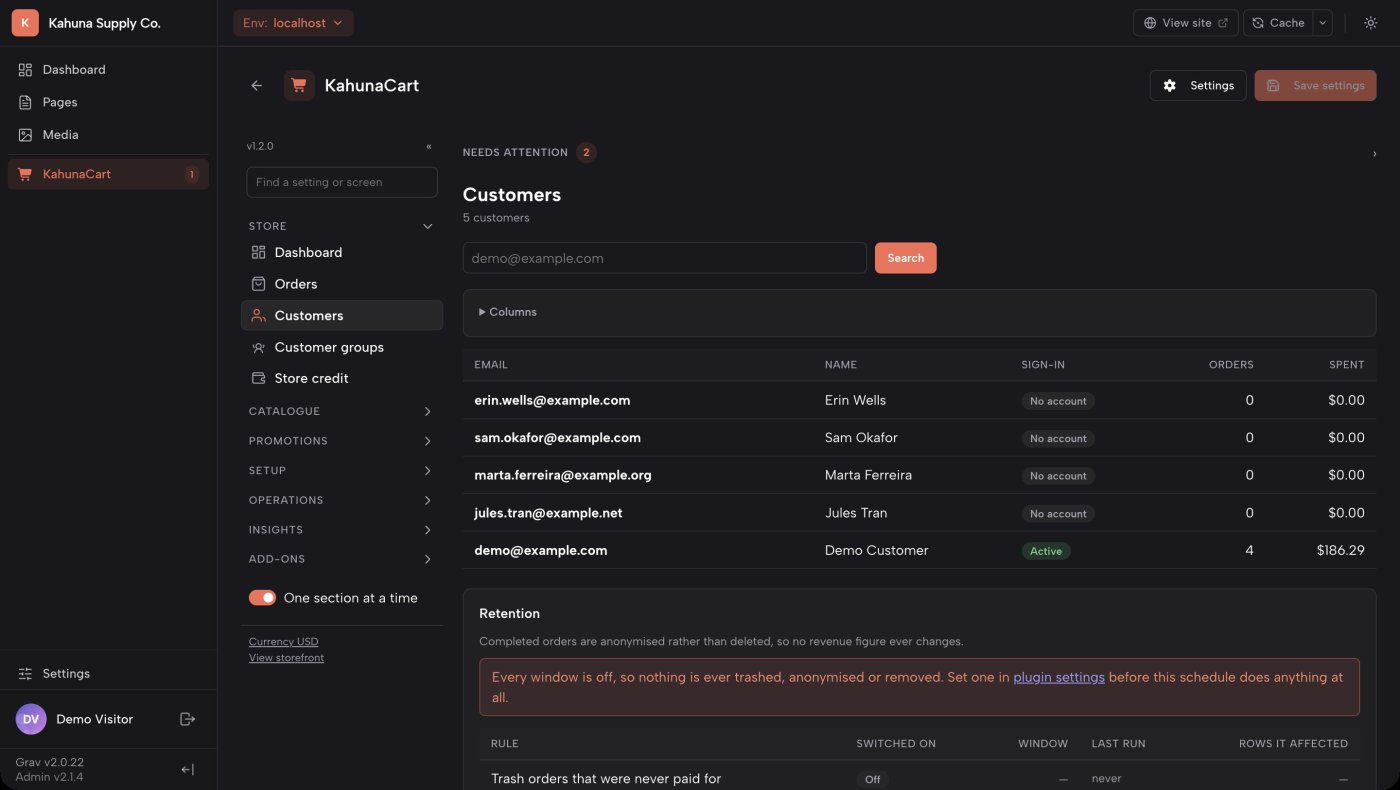
Let customers check out as guests or create an account for orders, downloads and saved addresses. Manage customer records in the admin and translate your catalog for the languages you sell in.
- Offer passwords or email sign-in links, with two-factor authentication available.
- Assign customer groups for pricing and promotion rules.
- Add and edit a customer's saved addresses from the admin.
- Sell member-only products that nobody outside the group sees in listings or search.
- Review customer spending, order history and recent activity.
- Use customer erasure and retention tools to manage stored personal data.
- Send an abandoned-cart reminder with a link to restore the cart at current prices.
- Translate catalog fields and use the order's language for receipts and later emails.
- Account storage
- Customer sign-in credentials are stored in the commerce database by default. Grav accounts are also supported; staff access remains governed by Grav permissions.
- Translations
- Translate products, categories, tags, attributes, options, shipping methods, tax rates and sales, with fallbacks for missing fields.
- Languages
- The storefront uses Grav's configured languages and URL prefixes, with translated search and sitemap support.
- Emails
- Customize transactional emails in HTML and plain text. Background jobs send them without delaying checkout.
- Member-only products
- Name the customer groups that may buy a product. A member ticket and a general admission ticket can sit side by side at different prices, with the member one absent for everybody else.
- Member-only pages and articles
- Needs the Subscriptions add-on. A plan puts its subscribers in a customer group, and that group opens private pages and download pages. An article can show everyone a teaser and a subscribe panel instead of the rest, with a few free articles a month if you want them.
- Grav groups
- Map a Grav user group to a customer group so memberships already kept in Grav decide a customer group at sign-in.
- Store credit
- Record credit transactions and let customers use their balance as a payment method.
- Admin translation
- Language packs use YAML files. See the translation documentation for how to add or update one.
Orders and operations
Handle orders and customer service from one record
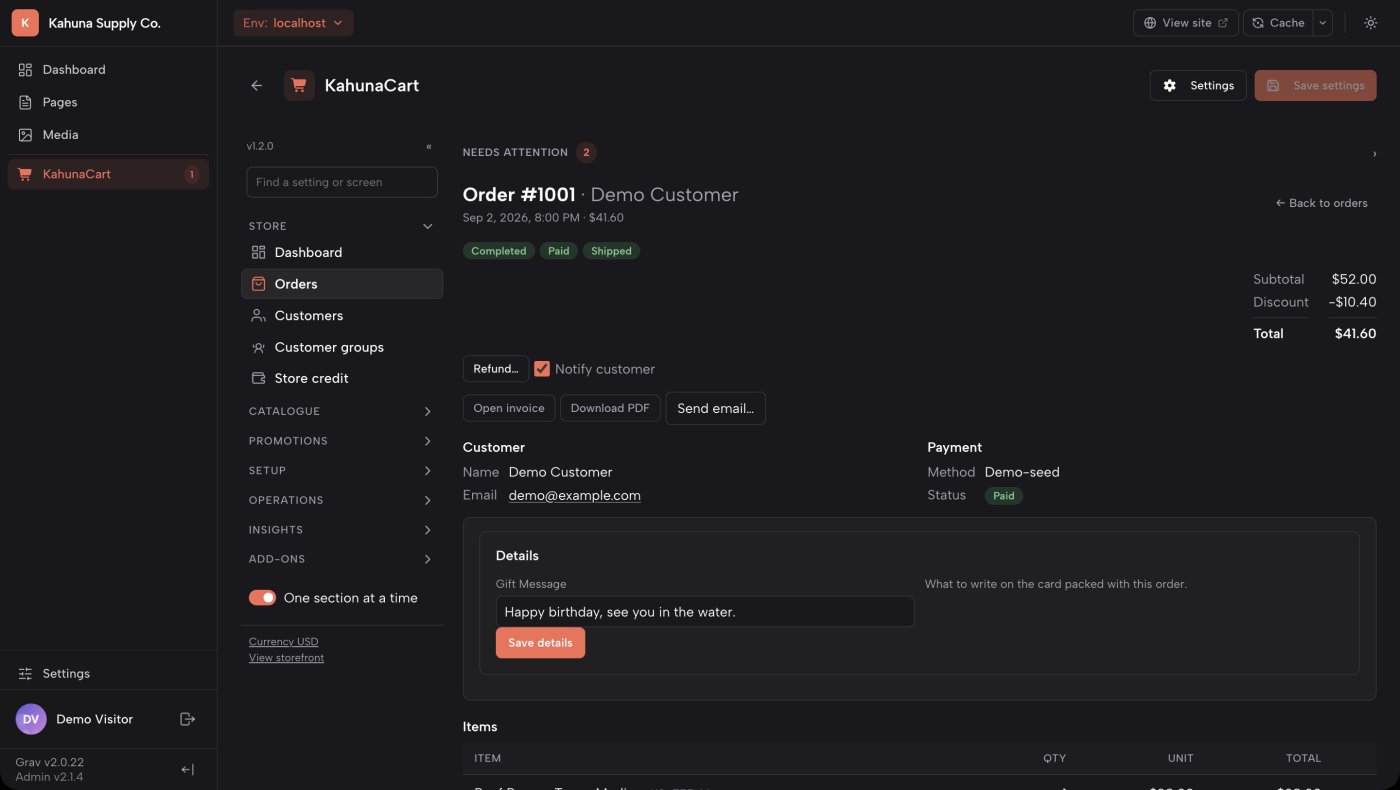
Open an order to review its items, payments, shipments and history. Preview changes before confirming them, and use the same tools for storefront purchases and manually created orders.
- Track order, payment and fulfillment status separately.
- Review the change history, add customer-facing notes and resend order emails.
- Create manual orders and quotes for phone customers, with their address, group prices, tax and shipping worked out exactly as at checkout.
- Sell at a counter from a tablet with the Point of Sale add-on, taking cash or a card on a Stripe, Square or SumUp reader.
- Generate invoices, credit notes and packing slips, with a preview before sending.
- Find orders that need attention and review email and background-job activity.
- Check store configuration and service health from the admin or command line.
- Health checks
- Check the database, migrations, scheduler, mail delivery, downloads, provider connections, webhooks, template overrides and reporting data.
- Order status
- Configure status labels and the associated payment, stock and fulfillment behavior.
- Imports
- Preview CSV imports, save column mappings and review errors by row. Interrupted imports can resume.
- Exports
- Choose export columns and save selections for reuse. Combine PDF invoices into one file. Export the whole store, orders included, as one bundle.
- Notifications
- Send Slack, Discord or webhook alerts for store events, and review delivery attempts.
- Admin tools
- Use saved views, column pickers and permissions to tailor the admin to each staff member's work.
Reporting and analytics
Track sales, refunds and profit
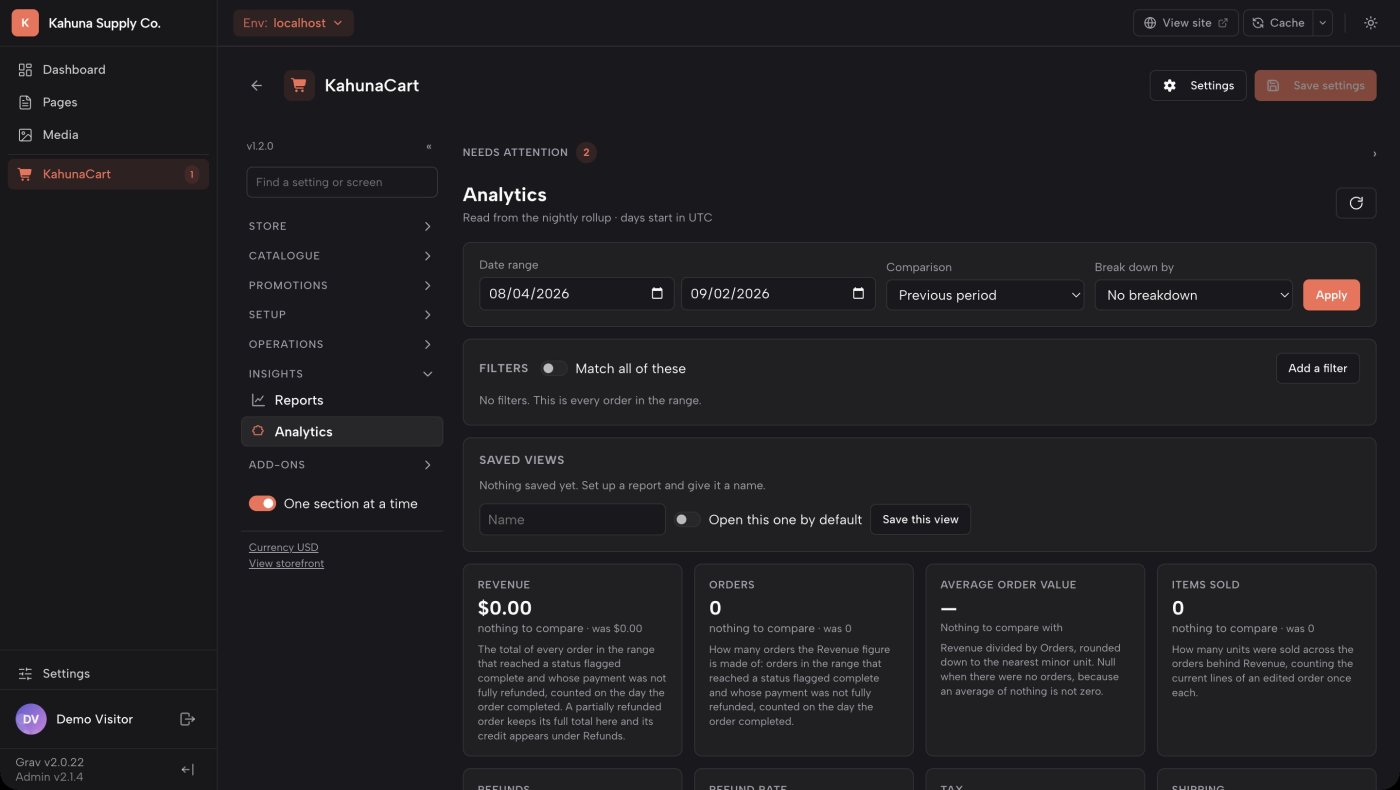
Review store performance over a date range and compare it with an earlier period or year. Reports use daily summaries to keep large order histories practical to analyze.
- Track revenue, orders, average order value, refunds, tax, shipping, discounts and margin.
- Filter results and compare periods to understand changes over time.
- Review how orders were attributed to search, referrals or campaigns.
- Use costs recorded at the time of sale to report historical margin.
- Export sales, product, customer, tax, refund and low-stock reports as CSV or PDF.
- Metric definitions
- Each metric includes an explanation of how it is calculated.
- Comparisons
- Compare a selected date range with the previous period or previous year.
- Attribution
- Orders record their first source, including organic search, referrals, campaign parameters, direct visits or admin entry.
- Historical margin
- Item costs and gross margin are recorded at sale time, so later price changes do not alter past results.
- Reporting data
- Daily summaries can be rebuilt, and the Health screen flags summaries that need updating.
- Exports
- Export summary, product, customer, tax, refund and low-stock reports to CSV or PDF.
Try the storefront and admin.
Explore the demo, then buy KahunaCart. A year of updates and support is included.
Get KahunaCart