
License Keys
Sell and manage software licenses
Issue license keys when customers buy, set activation limits, and control access to software updates. Customers can find their keys and manage activations in their account. Explore the screenshots below, or try the read-only demo admin using the sign-in details on its login page.
Version 1.1.5 Released
The keys
Manage every license in one place
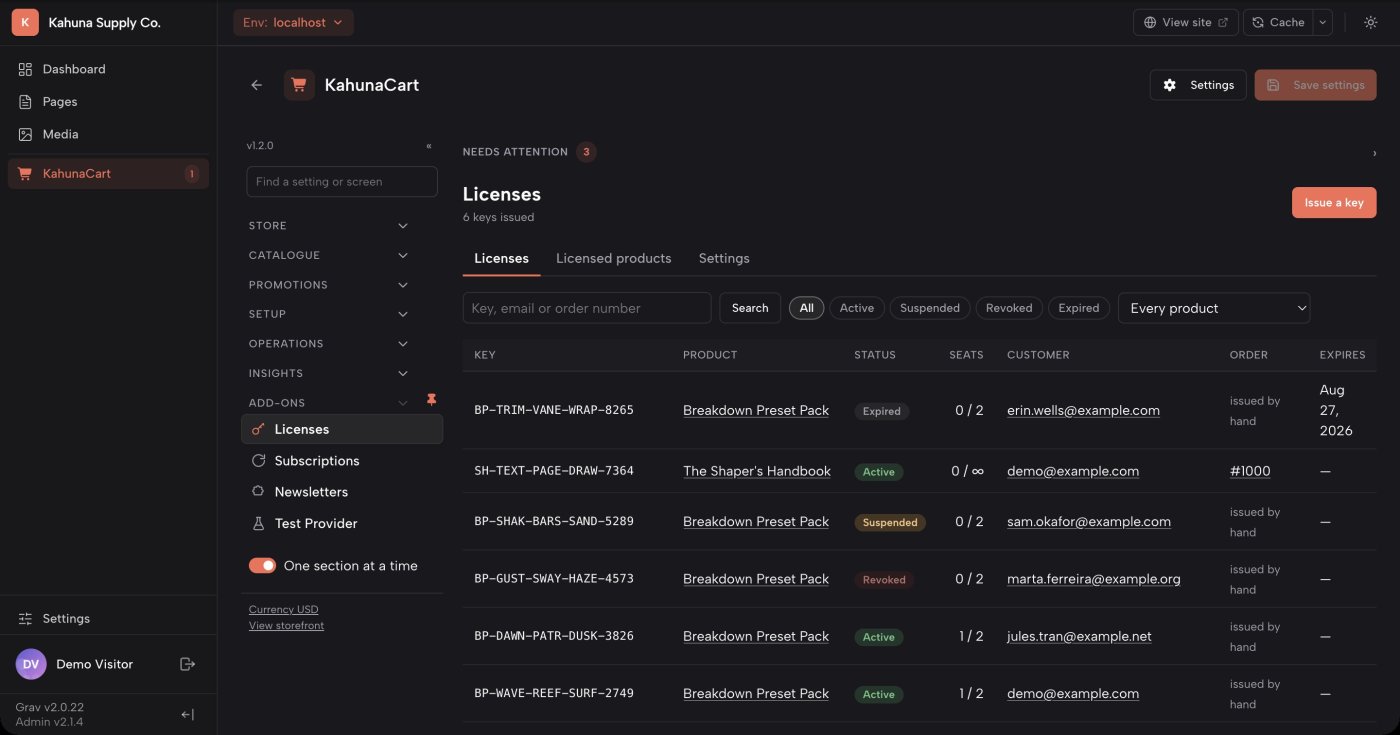
KahunaCart issues keys automatically for products you have configured for licensing. The Licenses screen brings those keys together with their customers, orders, activation counts and expiry dates.
- Search by license key, customer email or order number, and filter by status.
- Copy a key directly from the list or open it to review its details.
- Keys use a readable format that avoids easily confused characters. Validation accepts lowercase letters, spaces and missing dashes.
- Automatic issuance prevents duplicate keys if a payment notification or background job is processed again.
- Installation
- Install
kahunacart-licensesalongside KahunaCart. Licensing records are stored in your existing store database. - Automatic issuance
- Keys are issued after payment by default. You can choose order completion instead. The store scheduler processes issuance jobs.
- License status
- A license can be active, suspended, revoked or expired. Suspension can be reversed; revocation is permanent.
- Key format
- Choose a prefix, character groups and separators to suit your product. Format changes apply to newly issued keys.
Licensed products
Choose which products include a license
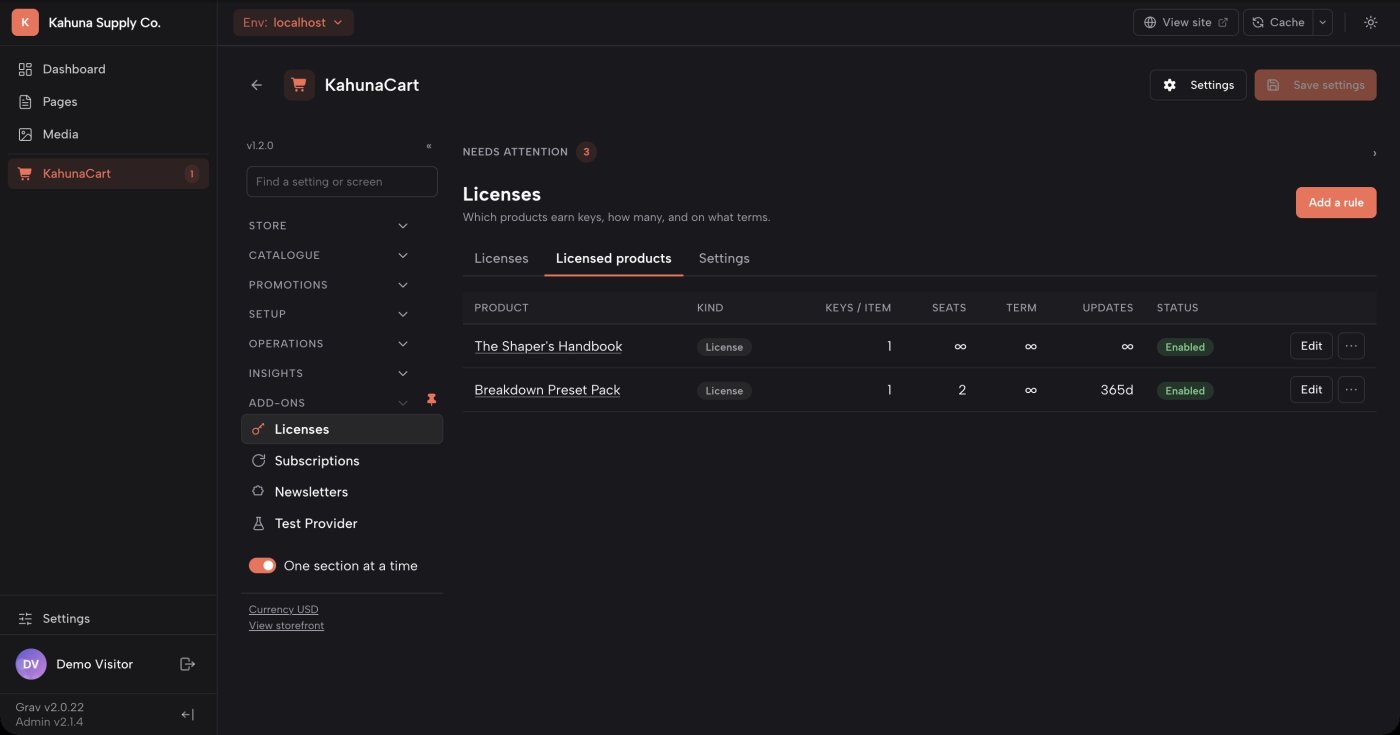
Add a licensing rule to a product, then set the number of keys, activation limit and license duration. You can give individual variants different terms, such as Personal and Studio licenses.
- Use store defaults or override the settings for a particular product or variant.
- Issue a key for each item purchased, or issue one key with more seats as the quantity increases.
- Sell new licenses, renew existing ones, or extend a license to cover another product.
- Add product-specific activation instructions and downloadable license files.
- Default terms
- The defaults are one key per item, one seat, no license expiry and 365 days of updates. You can change each setting.
- Activation limits
- Seats control how many machines can use a key at once. Leave the limit blank to allow unlimited activations.
- License duration
- Set how long a license remains valid, or leave the term blank for a perpetual license.
- Update access
- Set a separate period for software updates. A perpetual license can include one year of updates without expiring after that year.
Docs Licensed products →Configuration reference →Licensing rules in the REST API →
Seats and terms
Control activations, expiry and update access
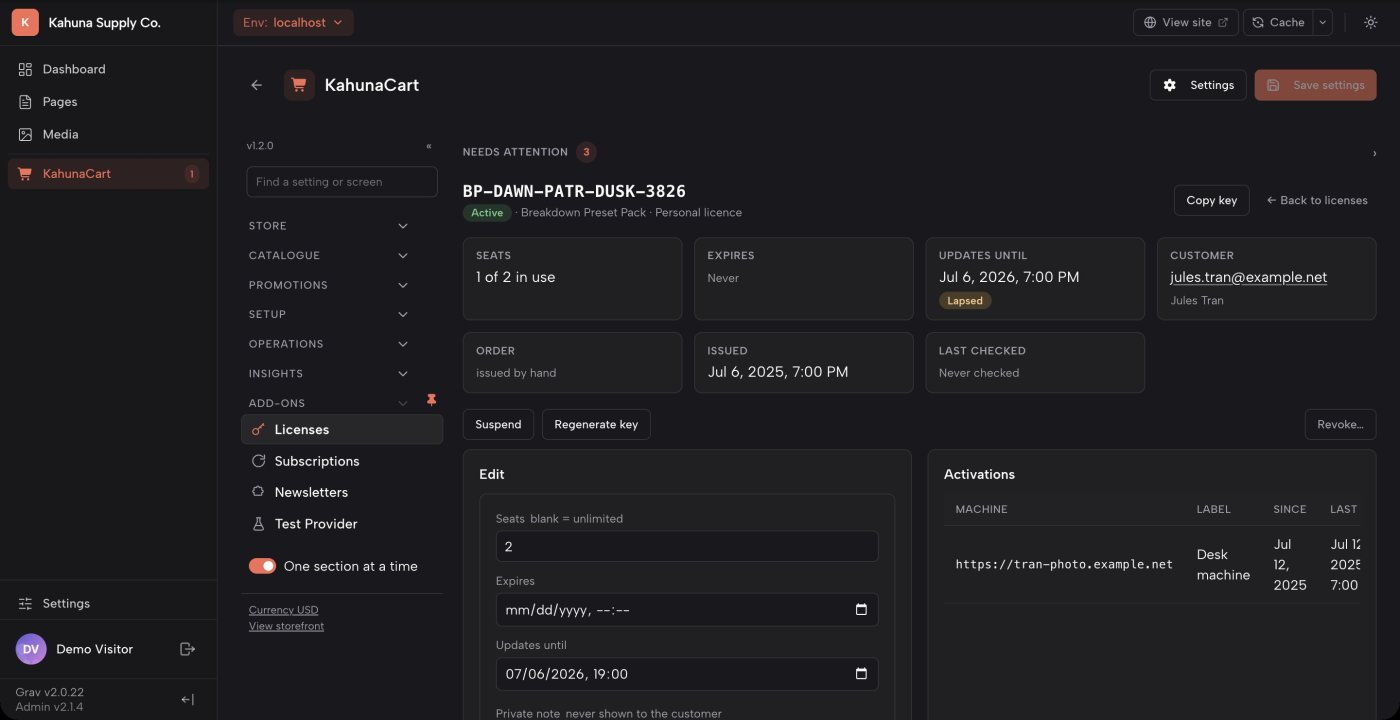
Open a license to see which machines are using it and how long its terms apply. License expiry and update access have separate dates, so you can manage each independently.
- View activation dates and last activity, and free a seat when a customer replaces a machine.
- Adjust the seat limit, license expiry or update period, and add private notes.
- Suspend a license temporarily, revoke it permanently, or replace a compromised key.
- Customers retain access to releases covered by their update period. Newer releases become available when they renew.
- Software integration
- Use the public API to validate keys and activate or deactivate machines. PHP and JavaScript reference clients are included.
- Validation results
- Your software can distinguish active, suspended, expired and revoked licenses and explain the result to the customer.
- Software updates
- The API returns the latest release covered by a key, including release notes, download links and file checksums.
- Offline handling
- The reference clients cache successful checks for 24 hours and can use the last valid result for up to seven days if your store is unreachable.
Docs The public API →Public license routes →Product releases →
What the customer gets
Give customers easy access to their keys
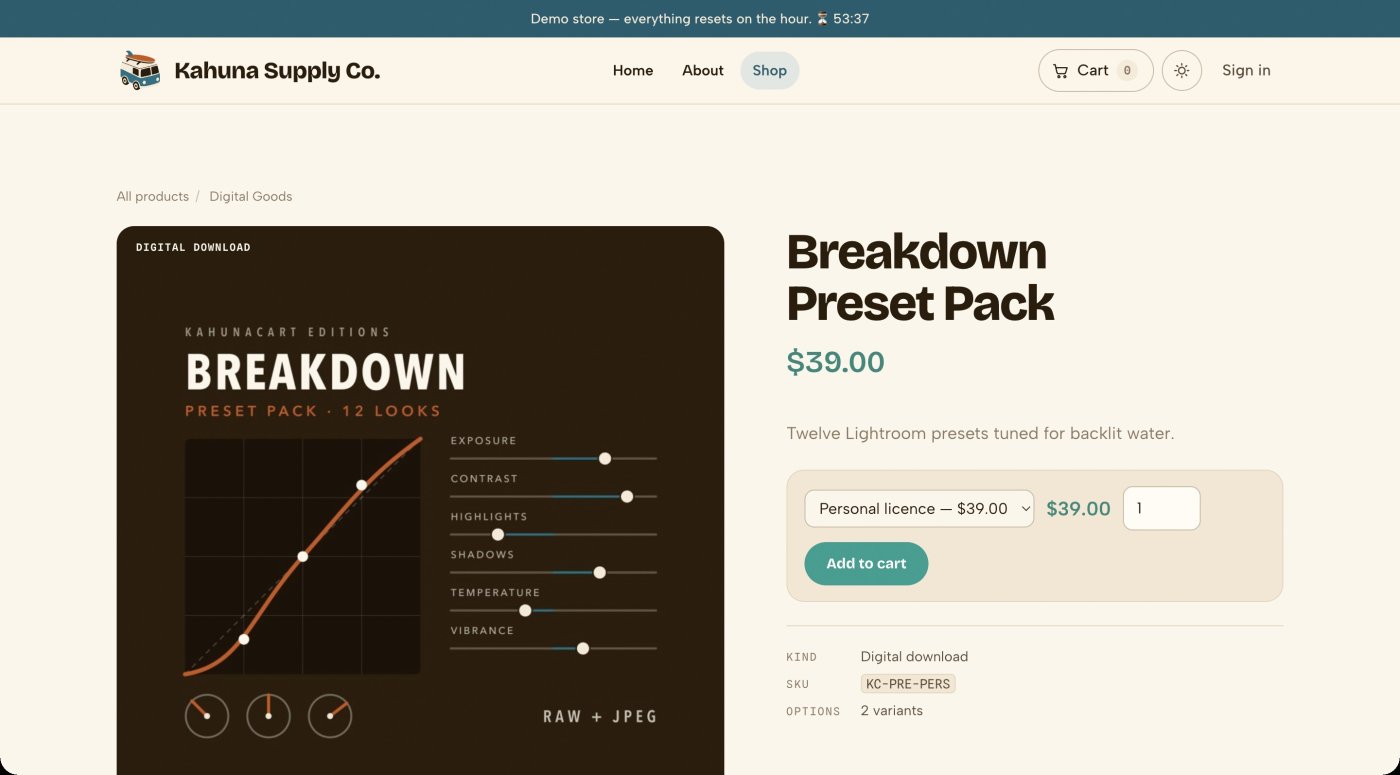
License keys appear on the order receipt, in the confirmation email and in the customer account. Add your own instructions to explain how to activate the product, and offer a downloadable license file if your software needs one.
- The receipt shows each key with a copy button, activation limits and license dates.
- Confirmation emails wait for key issuance so customers receive their keys with the order details.
- Customers can review activations and deactivate old machines from the Licenses tab in their account.
- Customize instructions for each product, and use placeholders to include the key, customer name or expiry date.
- Customer accounts
- The account overview summarizes the customer's licenses and highlights those that are expired or expiring soon.
- Pending keys
- While issuance is processing, the receipt tells the customer that their keys are on the way.
- License files
- Create file templates for your software. KahunaCart generates a file for each key when the customer requests it.
- Theme support
- The storefront panels use Twig templates and KahunaCart's theme styles. Override the templates to match your site.
Renewals and manual issuance
Sell renewals and issue keys manually
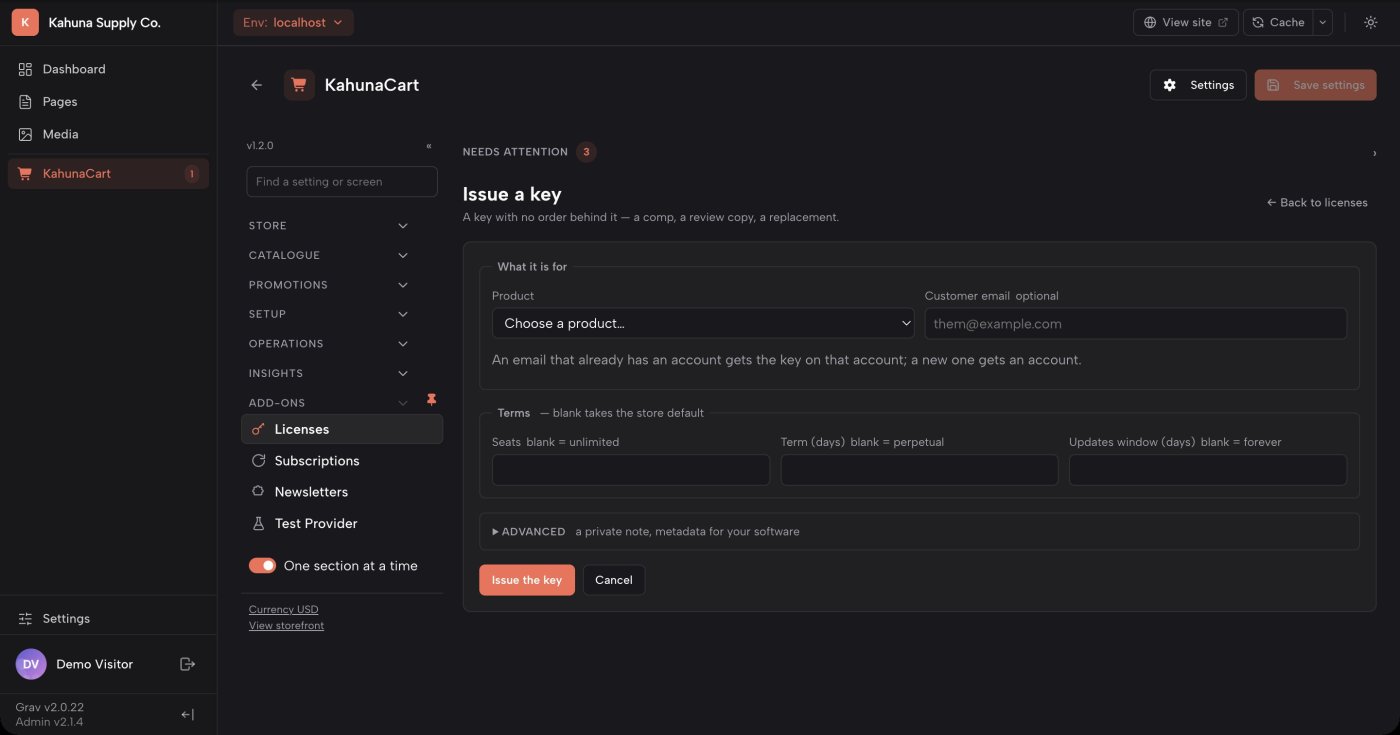
Create a renewal product to extend an existing license or its update period. You can also issue keys from the admin for review copies, complimentary licenses or purchases made elsewhere.
- Customers select an eligible key from their account or enter the key on the renewal product page.
- Early renewals extend the existing end date. Expired licenses renew from the current date.
- Eligible licenses display a Renew link in the customer account once you create a renewal rule.
- Manually issued keys can have their own seat limits and dates. They do not create an order or add to your sales totals.
- Renewal products
- Create a product for the renewal, then choose which licensed product it extends and how many days it adds.
- Renewal options
- Offer different renewal lengths as variants. Customers can also buy multiple units to extend the license for longer.
- Subscription integration
- Connect a subscription plan to your renewal product to extend the same key each billing period.
- Refund handling
- A full order reversal revokes newly issued keys or restores the dates changed by a renewal. Later changes to a renewed license may require manual review.
Questions
Common questions
What does a license add to a digital download?
A download gives the customer access to a file. A license lets your software check whether the customer is entitled to use it, how many machines can activate it, and which updates they can download. You can use both for the same product.
How does my software check a key?
Integrate the licensing API into your software to validate keys and manage activations. The plugin includes PHP and JavaScript reference clients, with caching for temporary connection failures. Your store can also provide release information and update downloads.
Can I sell a perpetual license with a year of updates?
Yes. Leave the license term blank and set the update period to 365 days. The license remains valid after that year, and the customer can still download releases published during their update period. Renewing adds access to later releases.
Can licenses renew automatically?
Yes, with the Subscriptions add-on. Create a renewal product and select its variant as the subscription plan's renewal variant. Each renewal extends the existing key. You can also sell renewals as individual purchases.
What happens when I refund an order?
A full order reversal revokes the keys issued by that order and frees their seats. For a renewal, it restores the previous dates. If the license has been renewed again or its dates changed since, the reversal is flagged for manual review.
How is the add-on licensed?
License Keys is a one-time purchase for your site. Your site's single renewal covers updates for all the add-ons you own. If you do not renew, your installed version keeps working. See the store for details.
Start selling licensed software.
Buy License Keys once for your site. One site renewal keeps KahunaCart and all your add-ons up to date.
Buy in the store